NatusAI
Concept
Organisation-wide
Sovereign Workplace
Documents, knowledge and office workflows in one workplace, with control over data, AI and review.
View use case


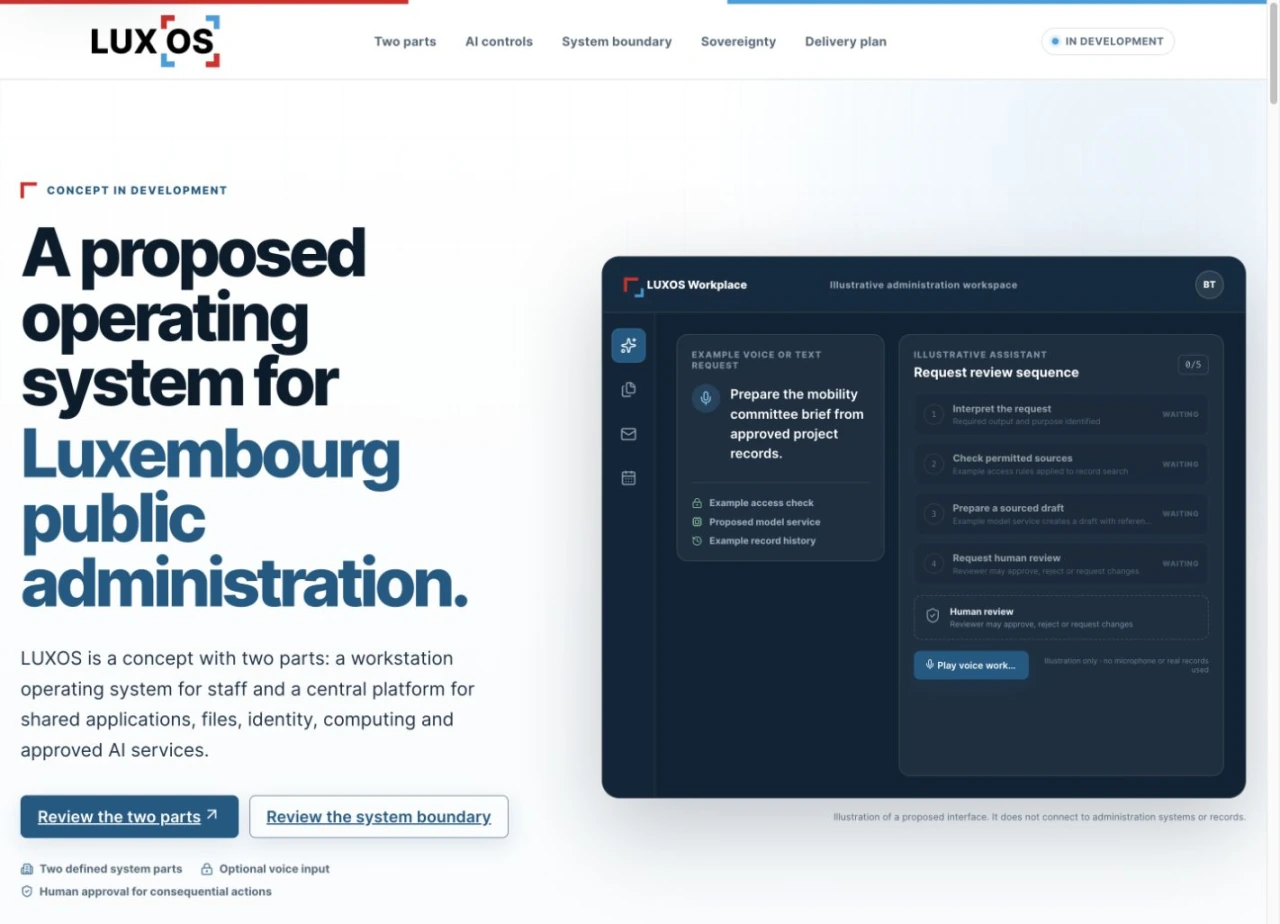
LuxOS is in development in two connected roles: an operating system for PCs and laptops, and a central service layer for shared applications, files, identity, collaboration and AI. The organisation decides where data lives and what AI may do.
For a public administration, office work, files and collaboration are spread across separate tools and platforms. Adding AI raises a sharper question: where does the data go, and who decides what the AI may do?
A task can begin at the desktop and use authorised central services to find information, prepare a document or coordinate work. Identity, source access and review stay attached as it moves.
Desktop
Installed on a PC or laptop, LuxOS brings applications, files and AI assistance into the operating system itself, as an alternative to Windows, Linux and macOS.
Central
A central system manages shared applications, files, identity and collaboration, covering roles that platforms such as SharePoint and Google Workspace play today.
Control
The organisation defines data boundaries, access rules and the tasks AI may support. People review consequential outputs.

For a CIO or head of a public administration, the value is one workplace whose data, identity and AI stay under the administration’s own control.
Sovereignty by design. Applications, files, identity, collaboration and AI stay under the administration’s own control.
AI only where approved. Central computing and approved AI services run with access controls; the organisation decides which tasks AI may support.
People review what matters. Consequential outputs are reviewed by people, with identity and source access attached to each task.
These roles show how the use case fits the NatusAI architecture. They do not imply that a deployment used every product.
What you can buy today: a delivery engagement led by our team, built on the engine proven in our client projects, with NatusAI Lyra interfaces. Products marked Roadmap show where the platform is going; we share dates under NDA.
Status: LuxOS is an in-development concept with an interactive demo. It is not a released product, and no deployment is claimed.
The interactive demo on luxos.lu shows the current concept. Supported devices and applications will be confirmed before release.
Concept
Organisation-wide
Documents, knowledge and office workflows in one workplace, with control over data, AI and review.

Live demo
Municipalities
Resident requests, public transport, parking and public works in one place.

Capability pattern
Any document-heavy team
Find the right document by exact term or by meaning in one search, inside your infrastructure.
No. LuxOS is an in-development concept with an interactive demo. Supported devices and applications will be confirmed before release, and no deployment is claimed.
An AI-powered operating system for PCs and laptops, and a central system for shared applications, files, identity, collaboration and AI services. Tasks keep their identity, source access and review state as they move between the two.
The organisation. It defines data boundaries, access rules and the tasks AI may support, and people review consequential outputs.
Tell us which shared-work tools you want to bring under your own control. We will walk you through the concept and what a first step could look like.
Or write to contact@natusai.com